System Notifications
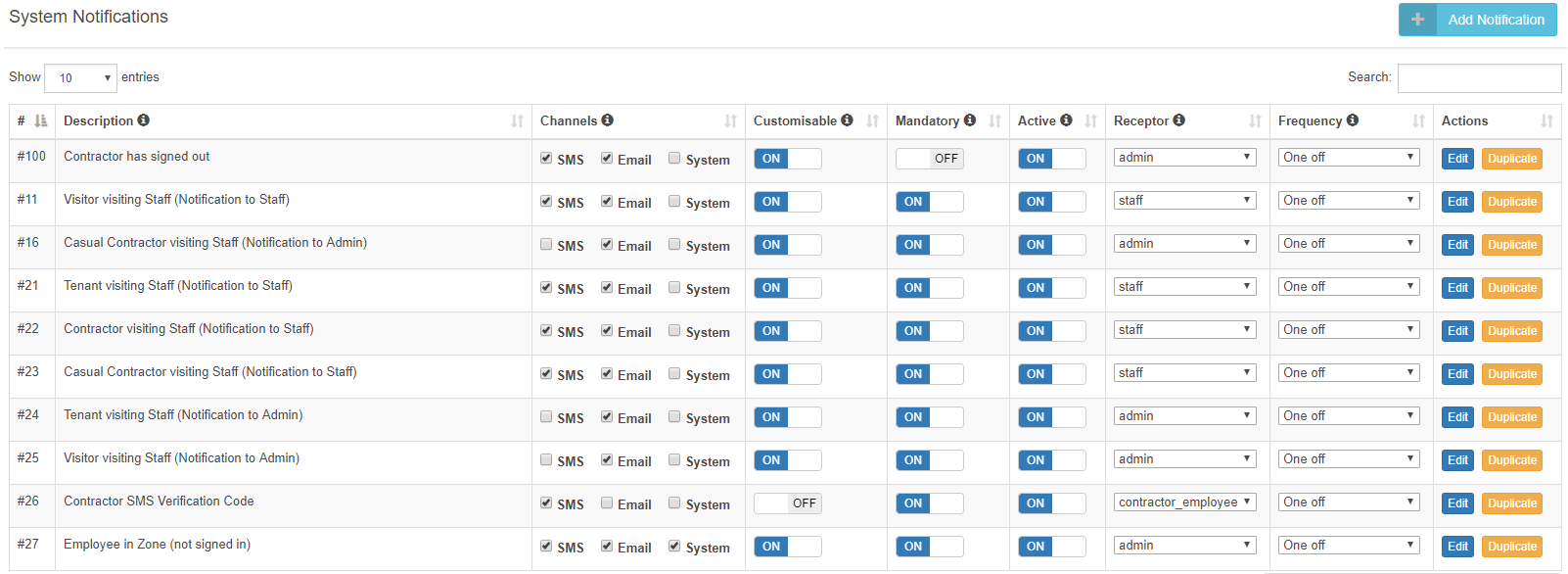
A Super Admin (a member of the HealthSafe Support Team) can configure the core notification features within the SecurePass system for Visitors, Contractors, and Staff. To do this, click System Notifications in the Admin Navigation Menu. This configuration applies across all locations and governs how the SecurePass system delivers notifications to users. To update a notification, click the Edit button next to the relevant description and select your preferred settings.
Person Visiting
An Admin can reconfigure notifications for their own location only. Admin-level access is limited to Person Visiting (Staff Members) and admin account notifications. To reconfigure, navigate to People > Staff Members in the Admin Navigation Menu. To create a new Registered Person, click the + Create New button. Amendments and changes can be performed by clicking on the Edit button for each Registered Person.
