
How to Disable iPad Kiosk Mode
1) Contact the HealthSafe Support Team via email at support@healthsafe.co or via phone at 0800 805 825 (New Zealand) or 1800 552 874 (Australia) and request a QR Code to remove Kiosk Mode from the iPad. The QR Code will be sent to your mobile phone (if we have your number) or to your email address. If the QR Code is sent to your email address, please save it on your phone or print this off and take it near the iPad's camera.
2) Once you have received the QR Code, please swiftly tap the top middle area of the iPad screen three times with your finger to access the Kiosk Mode feature.
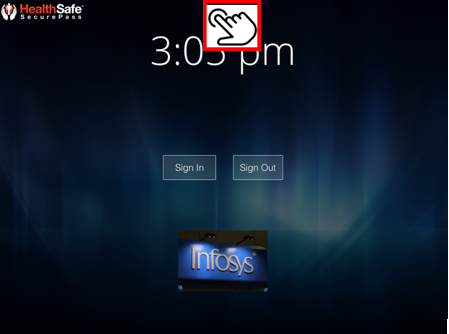
3) Under Kiosk Mode, Press the 'Disable' button which will open the camera and then show the QR Code to the iPad's camera.
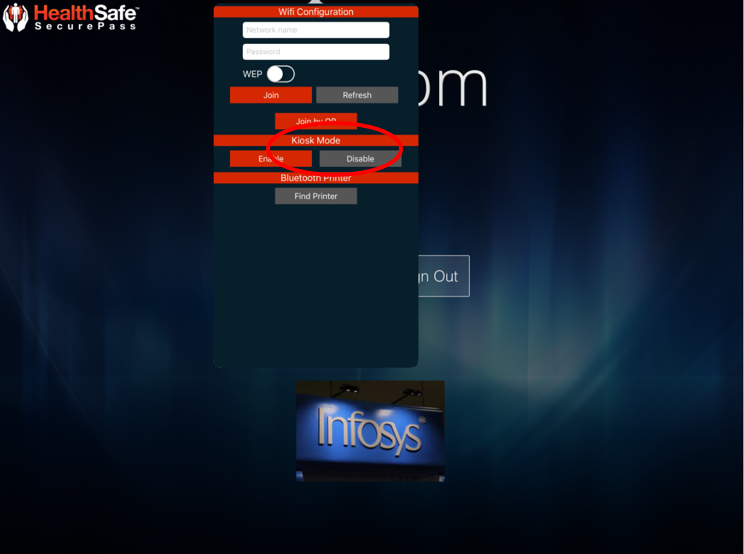
4) Kiosk mode is then disabled.